Free · No Sign-Up · Really Scans
Barcode Tattoo Generator
Turn a date, a name or a number into a real barcode tattoo with crisp bars and clean lettering. Two exact styles, free to download, no sign-up.
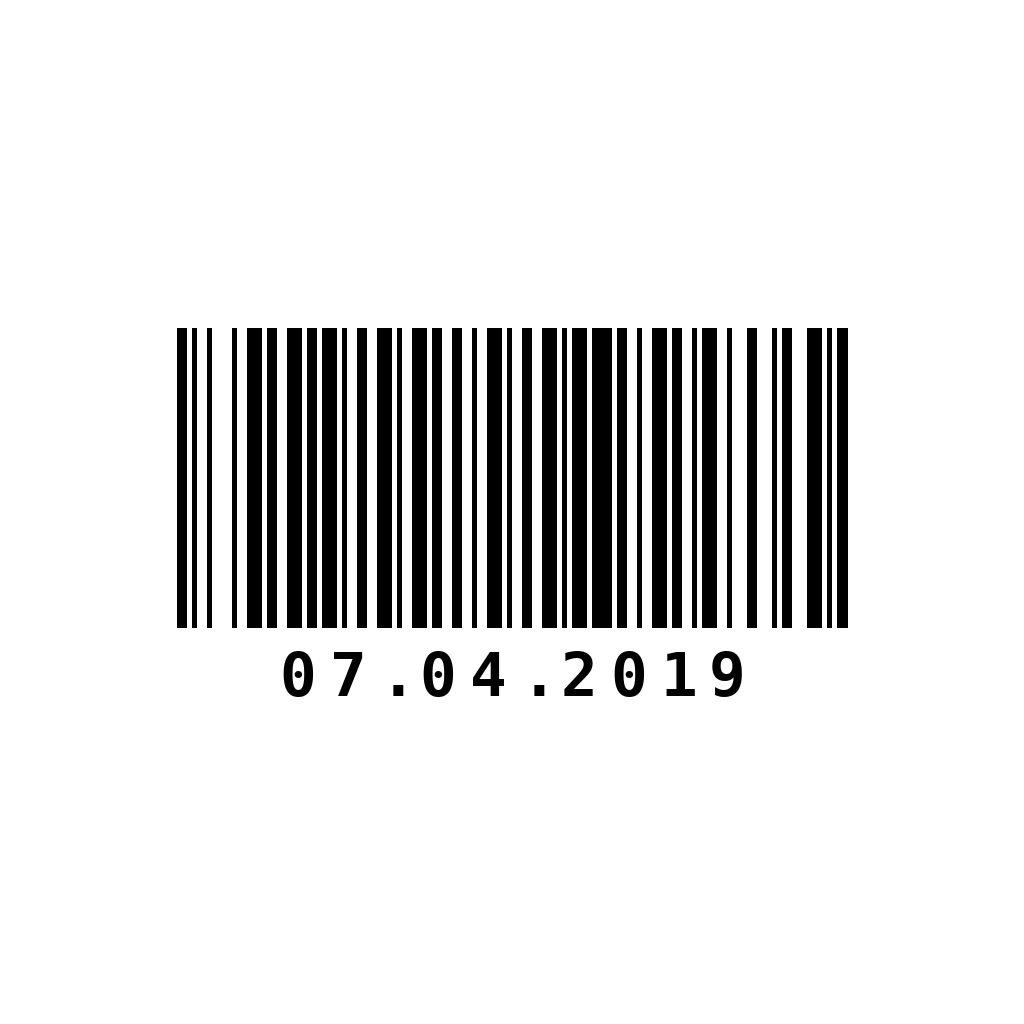
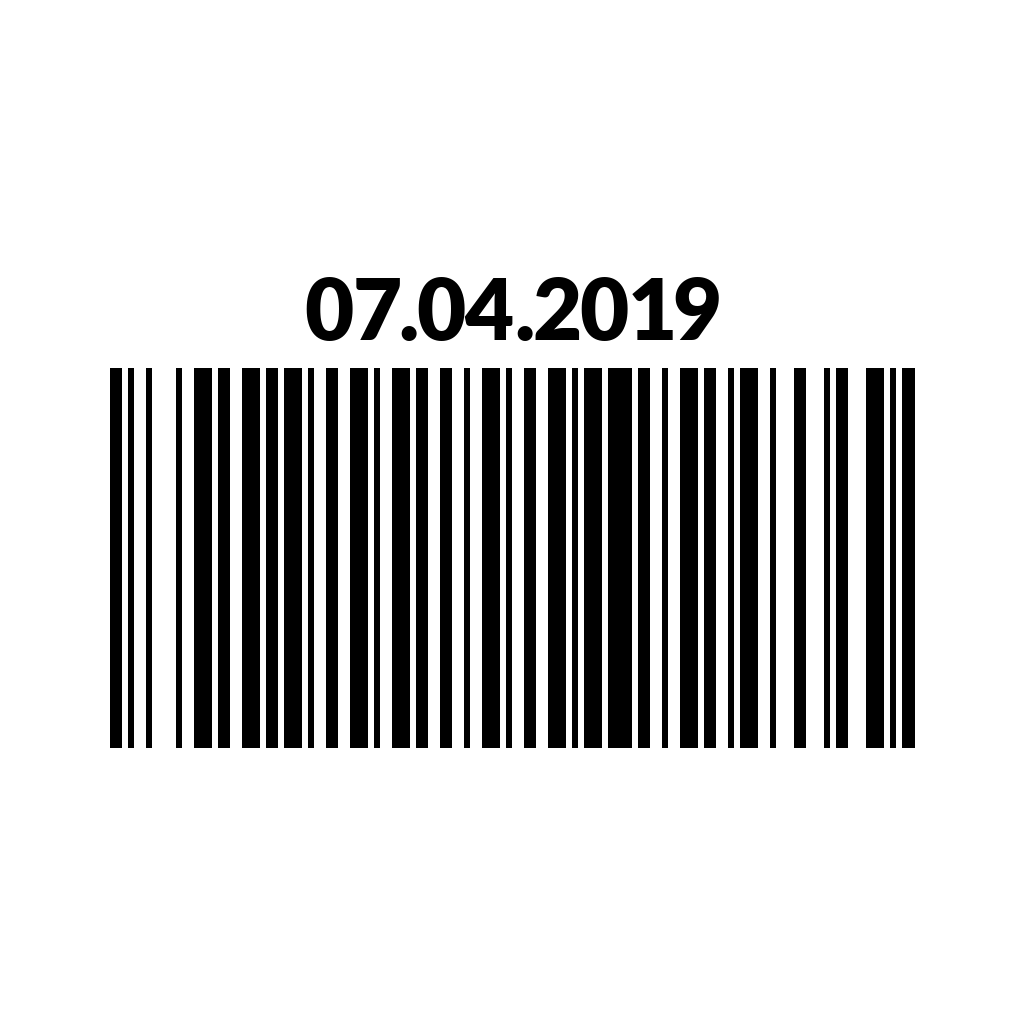
Scan it with your phone camera before you book. Want a stencil, a saved copy or an AI design around it?
Open In StudioExample Barcode Tattoos
Every one of these scans. Tap one to load it into the generator.
How the Barcode Tattoo Generator Works
A barcode tattoo looks simple, but the bars have to follow a strict pattern or a scanner reads nothing. This tool builds that pattern with code, not AI, so every line is exact. Type up to 32 letters, numbers or symbols, press Make My Barcode, and you get two designs: Classic, with typewriter-style text under the bars, and Bold, with heavy lettering on top and thicker bars below.
The generator uses Code 128, the format found on shipping labels, because it handles both letters and numbers. Your text is never saved. Download the PNGs for your artist, or open one in the studio to keep it in your account and make a stencil.
Ideas for What Your Barcode Tattoo Says
The text under the bars is half the design, so choose something you’ll still love reading in the mirror.
- A date. A birthday, an anniversary or the day you got sober, written as 07.04.2019 or JUL 4 2019.
- A name or initials. Short names keep the bars wide and easy to ink.
- A statement. NOT FOR SALE, NO RETURNS and PRICELESS turn the shop-label look into a message about worth.
- Coordinates or a zip code. A quiet nod to a hometown that only you can decode.
- A number that matters. A jersey, a badge, a call sign or the year your kid was born.
Write it exactly the way you want it to read. The generator prints your text as typed, including spaces, dots and capital letters, so check the spelling before you download. A typo in a barcode tattoo scans just as perfectly as the right spelling, and it is much harder to fix later.
Barcode Tattoo Size and Placement
Each character adds bars, and bars that sit too close together melt into one dark block as ink spreads. For about ten characters, plan on a design roughly 2.5 to 3 inches (6 to 8 cm) wide; for 20 or more, go bigger or switch to the Bold style, which uses thicker bars. Fine line artists can sometimes go a little smaller, but thin bars are always the first part to blur. Keep it level, too. A barcode reads from side to side, so it needs a strip of skin that stays fairly flat.
The back of the neck is the classic spot, centered just below the hairline, and it suits the clean, graphic look. The outer forearm, the side of the wrist, the collarbone and the back of the calf work well too. If you are weighing up the nape, our neck tattoo ideas cover sizing and pain for that area.
Classic or Bold for Your Barcode Tattoo?
Classic has a narrow, retail-label feel with slim monospace numbers under the bars. It fits small, subtle pieces and looks sharp in fine line. Bold places big uppercase lettering on top of taller, thicker bars, so it reads from across the room and holds up better on larger areas such as the forearm or upper back. When in doubt, think about how far away people will see it: up close, Classic; at a distance, Bold.
Will a Barcode Tattoo Scan?
It can, as long as it is inked straight, solid and large enough. Most phone cameras look for QR codes first, so use Google Lens or any free barcode scanner app to read the bars. A healed tattoo scans best in bright, even light with the skin held flat. Even if a scan fails years later, the printed text keeps the meaning readable, which is one reason so many people choose this style.
Ask your artist to work from the full-size PNG and to keep the gaps between bars clean. A tattooer who is comfortable with straight lines and lettering tattoos will usually get both parts right in one sitting.
Add a QR Code
Want the bars to open something, like a message or a map pin? Pair them with a code from our QR code tattoo generator. The two share the same black-and-white look, so they line up neatly side by side or stacked.
Want art around your code?
Describe the rest of the piece in the studio, like roses, a heartbeat line or a skull, and get original AI designs plus a stencil for your artist. Your first run is free.
Barcode Tattoo FAQ
Does a barcode tattoo really scan?
Yes, when it is inked straight and large enough. Use Google Lens or a free barcode scanner app, hold the skin flat and scan in good light after the tattoo has healed.
How many characters can a barcode tattoo have?
This generator accepts up to 32 letters, numbers or symbols. For a small tattoo, keep it under about 12, since more characters mean thinner bars that blur together sooner.
What does a barcode tattoo mean?
It depends on the text. Many people use it for a meaningful date or name, while phrases like NOT FOR SALE push back against being treated like a product.
Where should I put a barcode tattoo?
The back of the neck is the classic choice. The outer forearm, side of the wrist, collarbone and calf also work, as long as the skin stays fairly flat.